A library that keeps up.
Collect matchmaking and Premier demos, search your history, and keep favorites, tags and notes together.
CS2 Demo Library collects supported matches, reviews recorded moments, and connects to AI coaching for one practical next-match objective.
Limited beta · The Windows v1.5.1 installer is now published in our public downloads repository. Check the setup page for its SHA-256 and installation guidance.
Less guessing.
More evidence.
CS2 Demo Library collects your Valve matchmaking and Premier replays, parses them on your PC, and keeps the useful moments within reach.
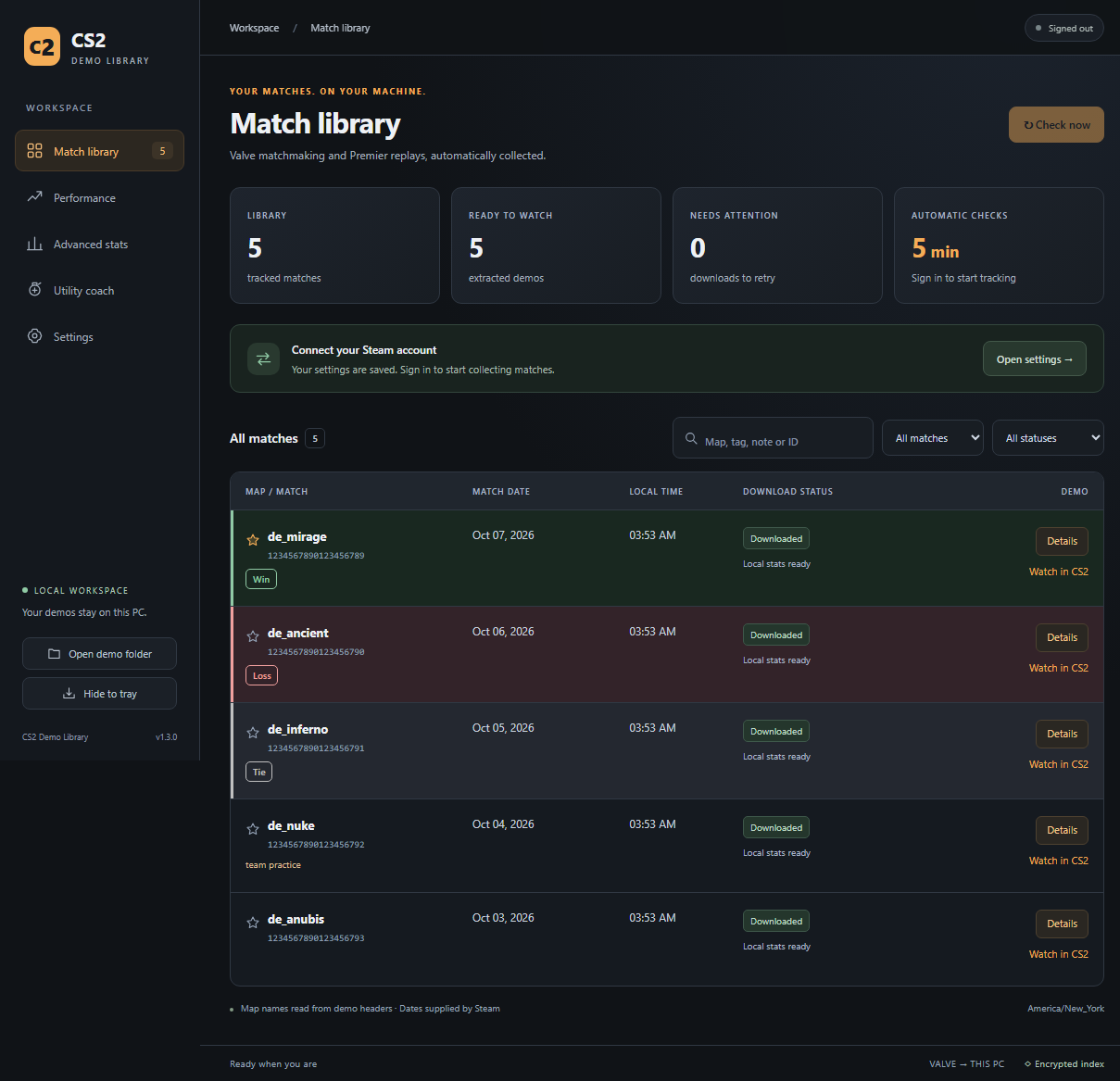
Collect matchmaking and Premier demos, search your history, and keep favorites, tags and notes together.
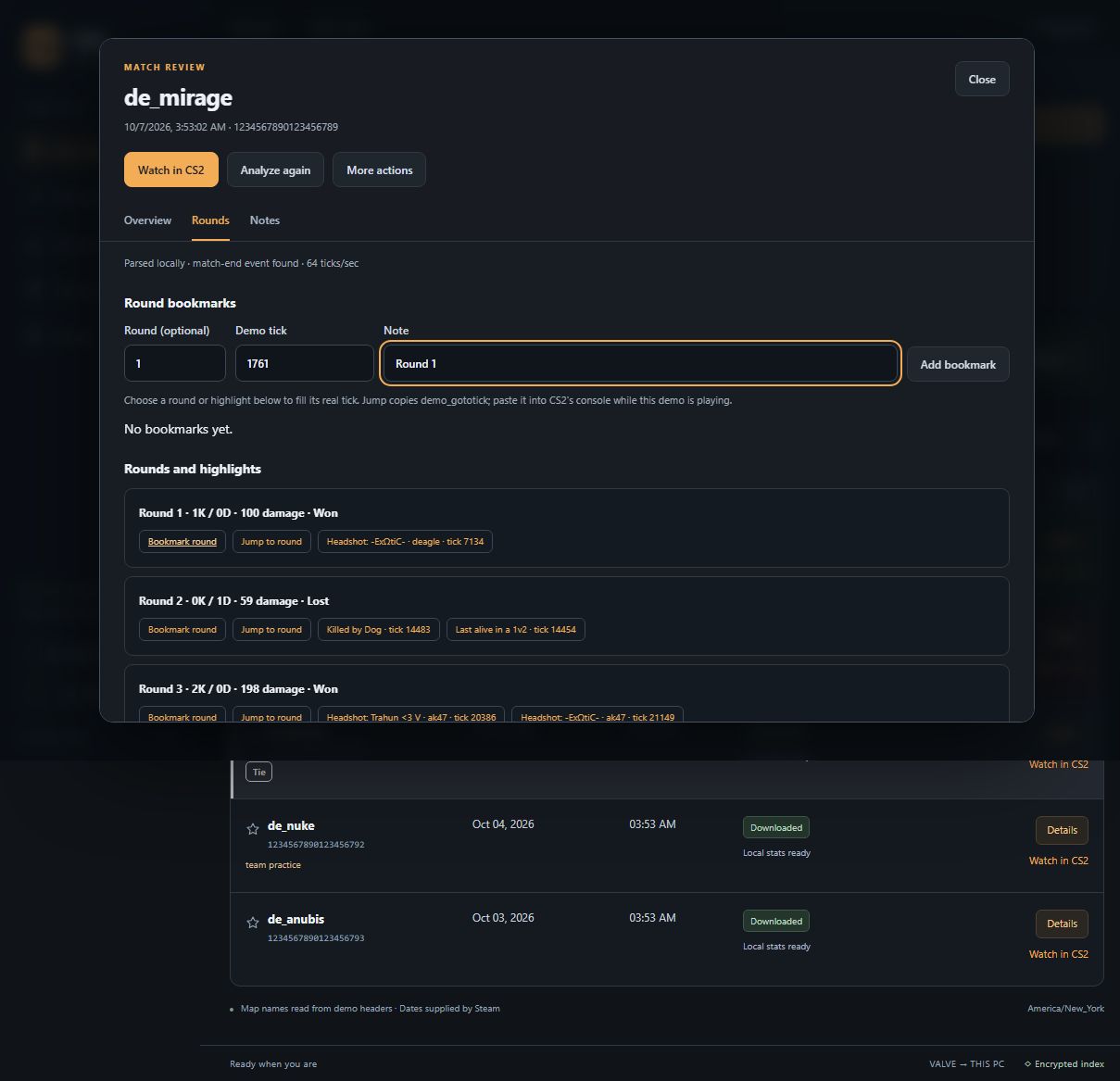
Review recorded events. Save exact ticks, launch the replay, and copy a command to revisit the moment.
Compare maps, sides, opening duels, trades and utility, with coverage shown where evidence is missing.
Set up Steam in the Windows app, connect the same account on this site, collect an eligible match, then review its recorded evidence and coaching report.
A useful review ends with a decision you can actually practice.
Collection and analysis pause during active CS2 matches, then resume when play ends.
Look at recorded damage, trades and utility. Bookmark the rounds worth watching.
Turn a specific moment into a flash routine, a safer first contact, or a better plan after a kill.
From a recorded Nuke review: a 1–13 loss, strong individual damage, and three moments that made the next priorities clear.
Two AK kills created a 4v2. After a teammate died in Tunnels, the player fought the same defender 3.6 seconds later and died untraded while the surviving teammates were on B.
Check teammate positions before clearing the next threat. Coordinate support or hold a route together.
The Garage AWP killed a teammate, then the bomb carrier 5.7 seconds later. A smoke had detonated, but that shot remained available.
Block the angle, coordinate a flashed swing, or use a protected route. Keep the bomb behind first contact.
The team had a 4v3. The player died untraded in the Vending/Trophy fight with a smoke, molotov, flash and HE grenade still unused.
Choose which sightline to remove and which contact your flash supports. Review the replay before deciding how it should have been used.
Review priorities are tactical interpretations of recorded events and positions. This review does not grade exact crosshair placement, visibility or communications from POV playback.
The desktop library downloads and parses demos locally. Settings, match metadata, notes and bookmarks are protected with Windows encryption. Steam passwords and Guard codes are never saved.
Optional Round in Review sync sends parsed player stats and recorded round events to the connected server. It excludes demo files, Steam secrets, replay URLs, notes and bookmarks. AI coaching is a separate server stage using a compact evidence input.
How data and AI are handledDesktop collection, factual reports, then coaching. A snapshot of the work and the checks behind it.
Encrypted library, saved reviews, match statistics, utility review and replay bookmarks. The Windows desktop release has reached 1.5.1.
Account-scoped pairing, queued submissions, duplicate protection and a worker that stores factual reports. The real desktop-to-server path passed end-to-end checks.
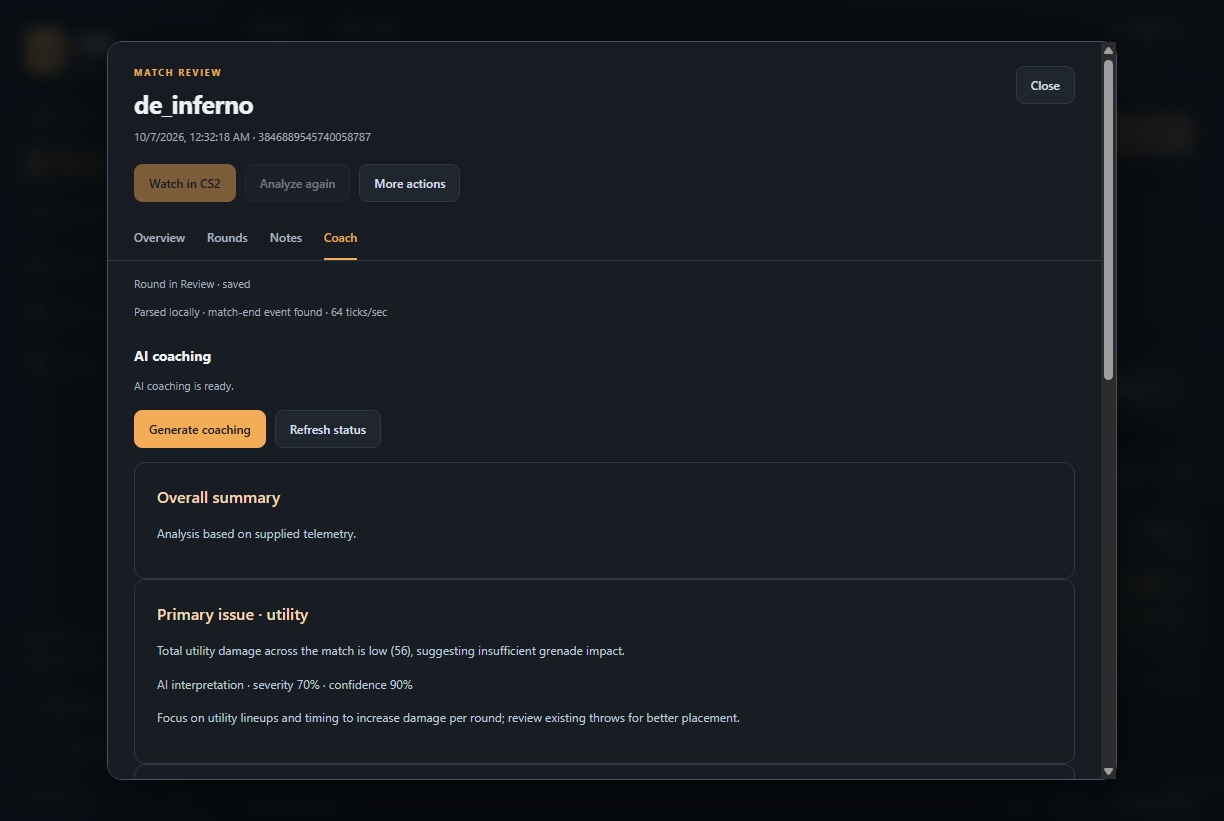
A genuine Inferno model response was validated, saved and retrieved through the desktop Coach code. The captured report uses match totals and cites no individual rounds. Broader coaching quality remains under evaluation.
Evaluate real coaching across more matches, with reliable round citations when the source supports them. A schema-valid response alone does not establish good coaching.
The current compact coaching input lacks movement, first-shot, economy and missed-trade opportunity evidence. It cannot support claims about those areas.
Continue checking Steam history, game activity pauses, replay actions and coaching retrieval in actual use. Automated checks cover only part of that experience.
Graphite and amber interface, Saved reviews, accessible Overview / Rounds / Notes tabs, and real-tick links from statistics.
Encrypted account-scoped pairing, persistent send receipts and verified factual server processing. Private local notes and raw demos stay out of submissions.
Independent coaching jobs, strict schema and evidence validation, full report retrieval and the desktop Coach view. First genuine model report retrieved on October 7.
Recorded for the 1.5 coaching implementation. These checks do not guarantee advice quality or every live Steam interaction.
This site was populated from recent Codex and ChatGPT conversations and checked against current project files on October 7, 2026.
The earlier 1.3 notes described fully local processing. Later work adds optional parsed-data sync and separate server coaching; this site reflects that newer direction. Library and round captures use test data. The Coach capture is from a genuine Inferno run. The Nuke example is a separate recorded review.
Scoreboard ADR in the Nuke review is 114.9. Its health-capped event calculation is 114.6; this page uses the scoreboard value. This is a dated snapshot, with no automatic connection to chat history or the live backend.
Save the source notesThis site introduces Rounds in Review and documents the project. CS2 Demo Library is the Windows x64 desktop application; demo collection, parsing and playback happen there.
When connected, the app sends the configured player's parsed statistics and observed round events. Raw demo files, Steam credentials, share codes, replay URLs, notes and bookmarks are excluded.
No. The parser records event facts. The factual worker stores a structured report. A separate AI stage interprets a compact input and must pass schema and evidence checks before its report is saved. Its advice is still interpretation.
Recorded damage and kills do not establish crosshair placement, reaction time, communication or decision quality. Missing evidence stays unavailable. Specific tactical questions often require watching the replay.
The desktop app saves the event's actual demo tick. Jump copies a demo_gototick command for you to paste into CS2's developer console while that replay is playing. It does not automatically seek an already running replay.